Ecommerce SEO audits aren’t like regular website audits. Online stores face a completely different set of challenges.
An online store with hundreds of products and filters can quietly generate thousands of crawlable URLs that waste Google’s crawl budget. Product variants compete with each other. Category pages get ignored. Critical pages get accidentally blocked.
This article covers all of these issues, along with the tools and methods you can use to find out and fix. We’ll cover technical SEO, on-page SEO, UX, and conversions, step by step, showing you exactly what’s holding your store back.
Table of Contents
What Is an Ecommerce SEO Audit (And Why Generic Audits Fail You)
An ecommerce SEO audit is a structured review of every factor that impacts your store's ability to rank in organic search and convert that traffic into revenue. It includes technical infrastructure, on-page optimisation, content quality, and off-page authority.
The reason a generic SEO audit falls short is simple: ecommerce websites have structural complexity that content sites don't. Consider:
- A store with 500 products and 5 filters per category page can generate over 15,000 crawlable URLs, most of them near-duplicate pages that add no value.
- Product variants (same product, different size or colour) routinely create self-competing pages that split ranking signals.
- Category pages — which are often the highest-traffic entry points — are neglected in favour of product pages, when research consistently shows that head and mid-tail category terms drive more organic traffic than individual product pages.
A proper ecommerce SEO audit addresses all of this. The goal is not a colour-coded spreadsheet with 47 action items nobody acts on. The goal is a clear picture of your highest-impact issues, ranked by revenue potential.
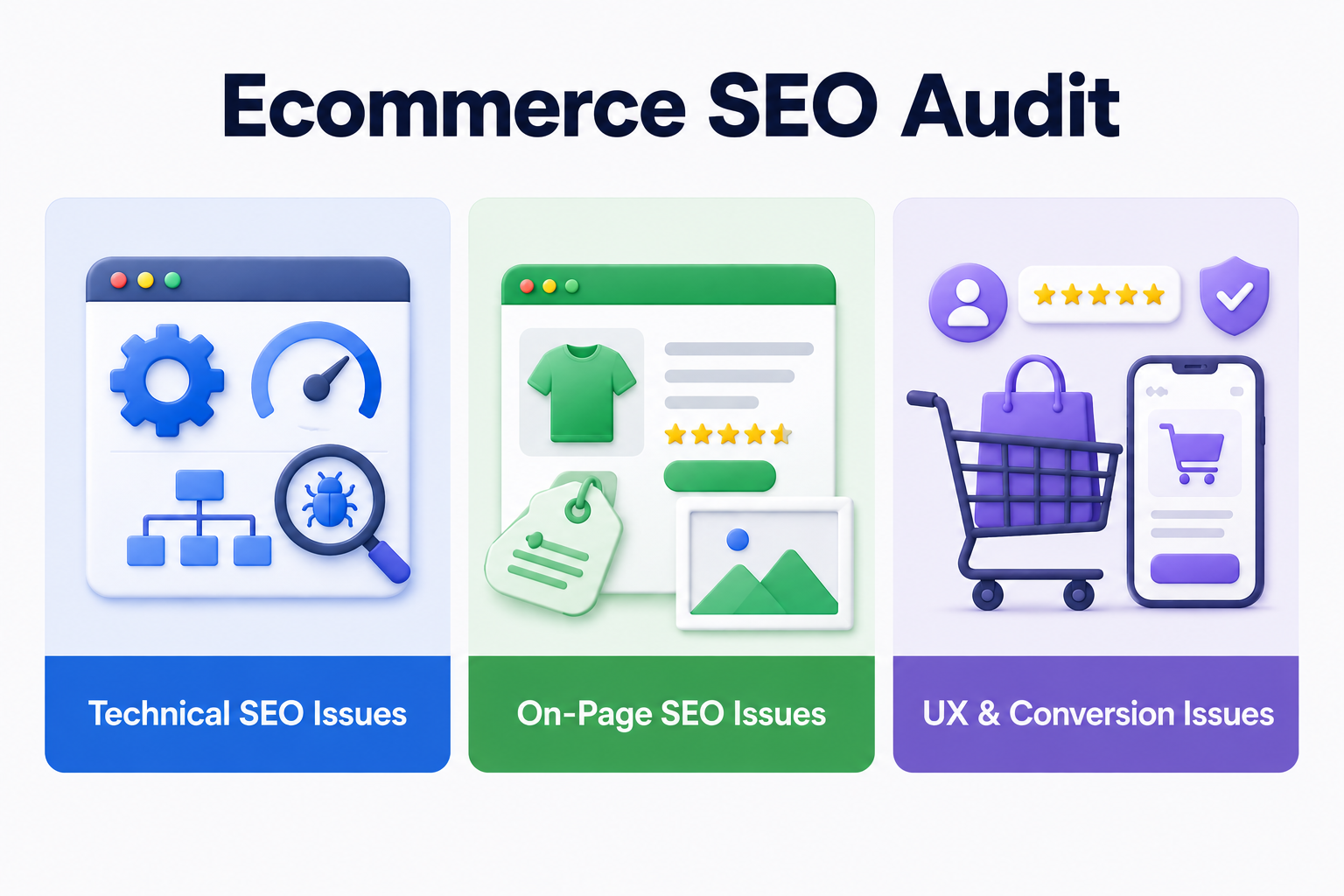
We will discuss Ecommerce SEO Audit in three categories: technical, on-page, and UX & Conversion.
Please note: Steps 2–5 discuss technical SEO issues, Steps 6–9 discuss on-page SEO issues, and Steps 10 discuss UX and conversion issues.
Before You Start: The Tools You Need (Most Are Free)
You don't need to spend thousands on an enterprise SEO platform to run a solid audit. Here is the exact toolset that covers 90% of what matters:
Free tools:
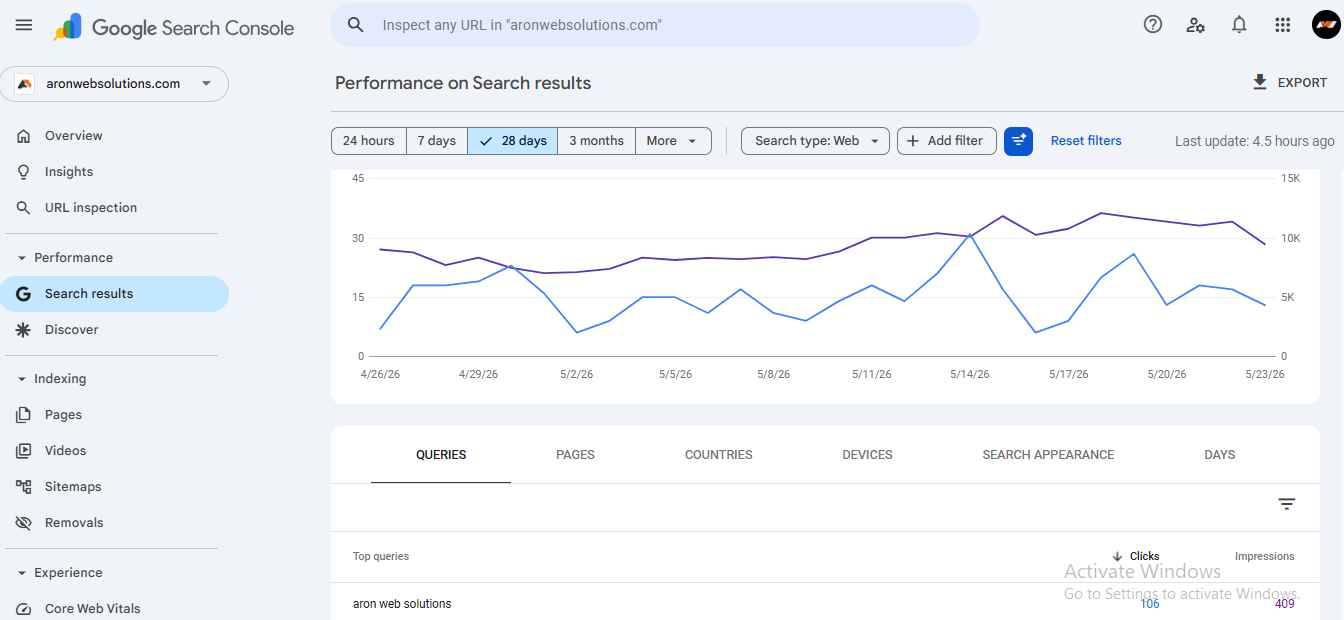
- Google Search Console (GSC): This is our favorite tool to recommend. It gives you direct data from Google on indexing, coverage errors, Core Web Vitals, and query performance. If you haven't verified your property, do that first.
-
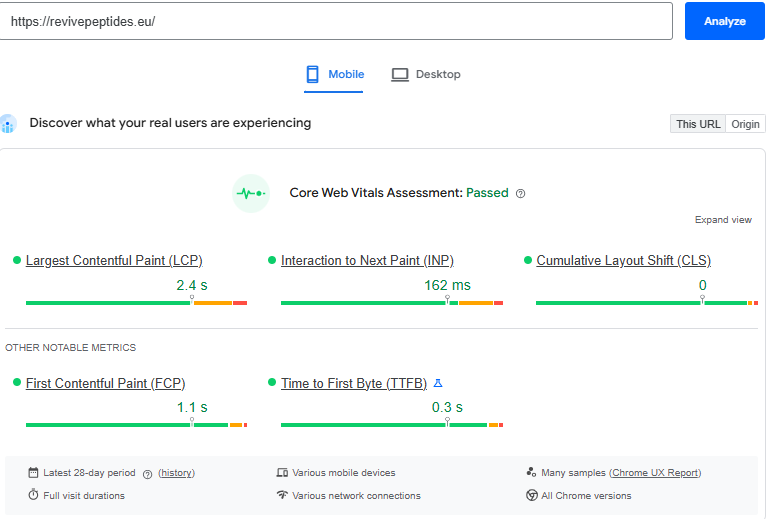
- Google PageSpeed Insights: Tests individual URLs for Core Web Vitals (Refer to the image below). Use it on your homepage, a category page, and your highest-revenue product page.
-
- Google Rich Results Test: Validates whether your structured data (schema) is correctly implemented and eligible for rich results.
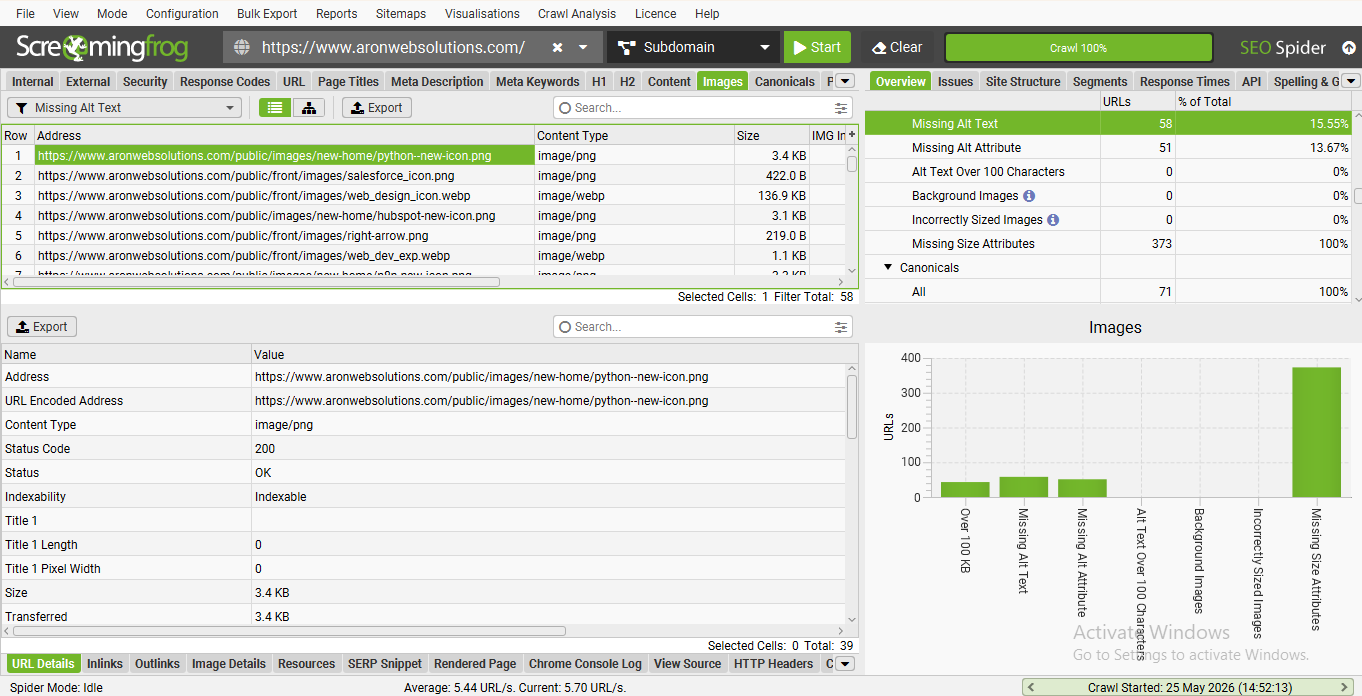
- Screaming Frog SEO Spider (Check 500 URLs for free): Crawls your site the way Google does. Flags broken links, missing meta data, redirect chains, and duplicate content.
-
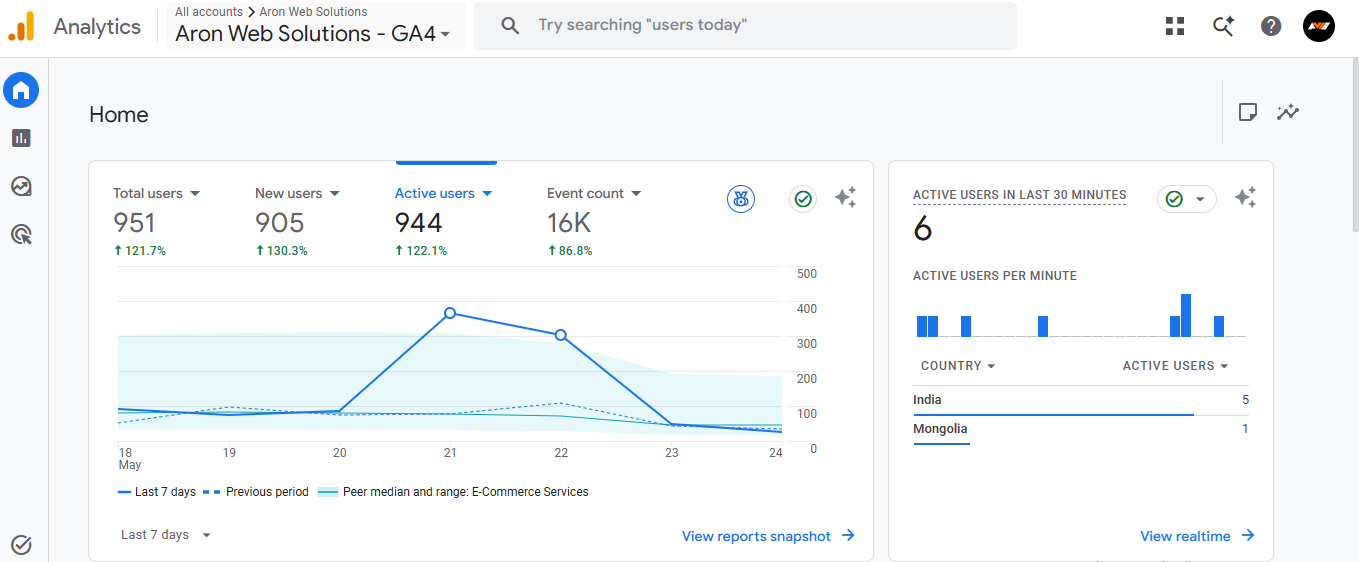
- Google Analytics 4: For cross-referencing organic traffic with revenue data so you can prioritise fixes by business impact.
-
Paid tools (worth it if you have the budget):
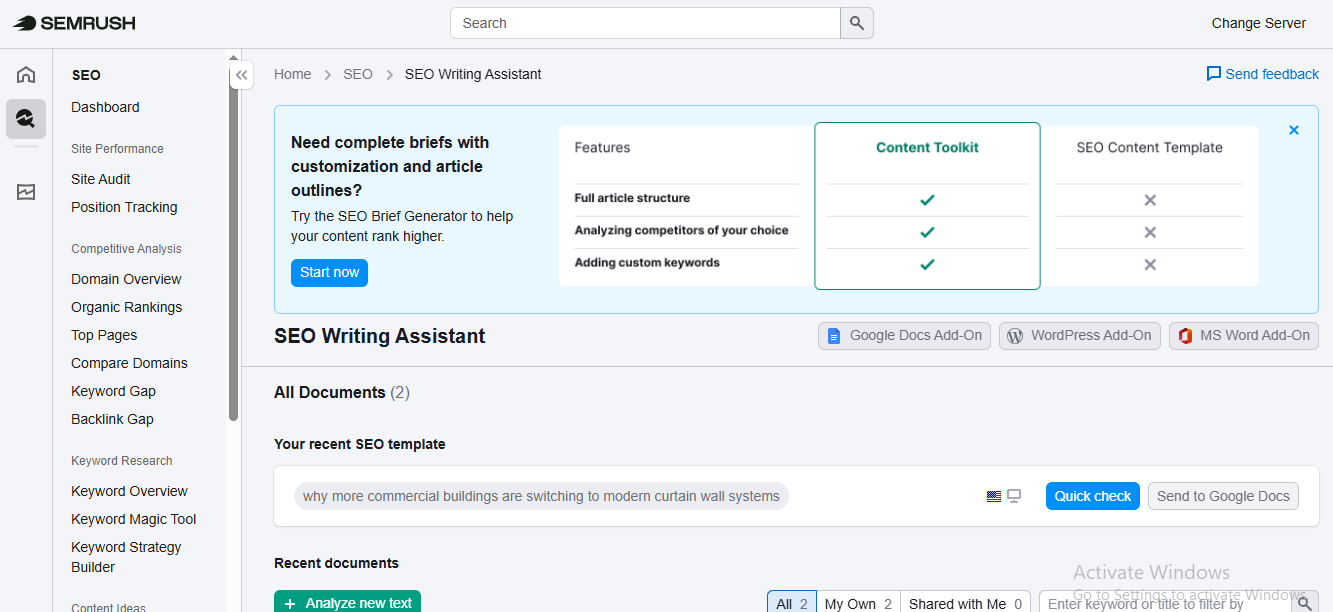
- Ahrefs or Semrush: For backlink analysis, keyword gap identification, and competitor benchmarking. Not mandatory for a technical audit, but invaluable for the content layer.
-
- Screaming Frog (paid, $279/year): Removes the 500 URL cap and unlocks JavaScript rendering, making it essential for Shopify and other JS-heavy stores.
-
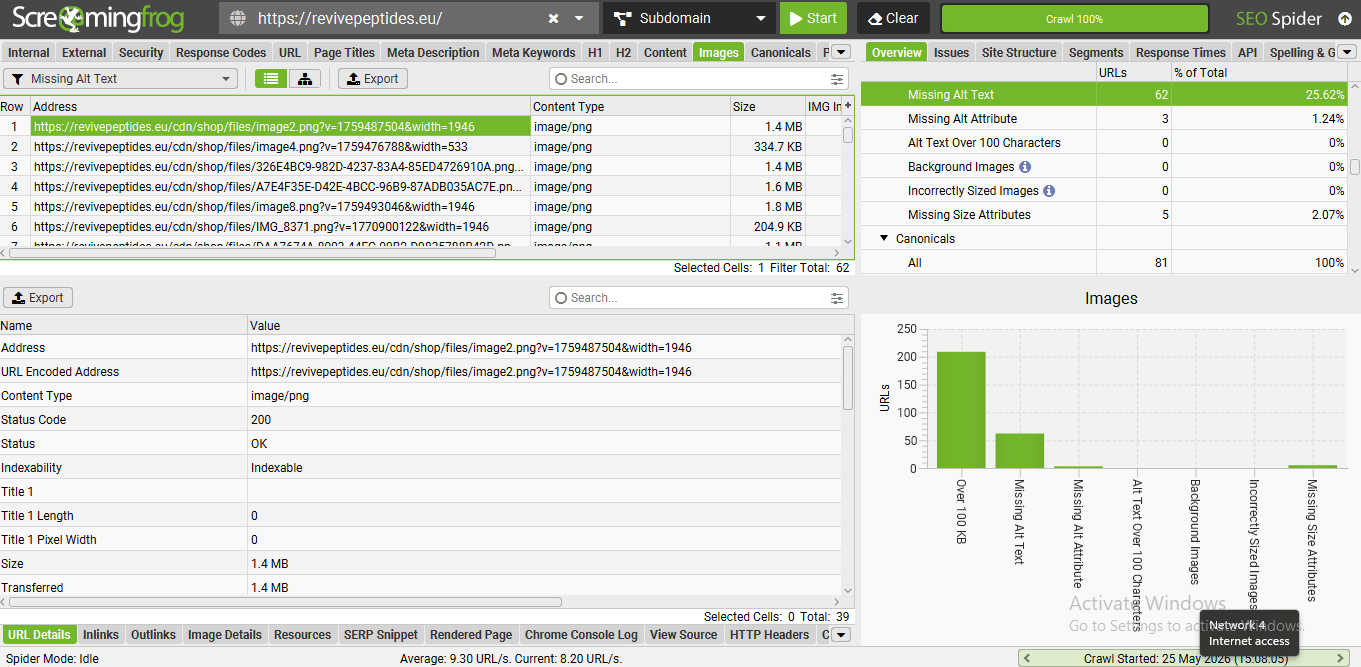
One important note on Shopify stores specifically: Shopify renders many elements via JavaScript. Free crawlers like the basic Screaming Frog may miss significant parts of your page structure. If you're on Shopify, enable JavaScript rendering in Screaming Frog or use Sitebulb, which handles this better out of the box.
Step 1: Review Your Store Manually Before Using Tools
Before using any tool, it's important to review your ecommerce website manually. When you review your store manually, you check for internal links to make sure there are no broken pages or error links. Review your website on both desktop and mobile devices to ensure it is mobile-friendly and easy to navigate. Since mobile devices generate over 52% of global website traffic, a poor mobile experience can directly hurt rankings and conversions.
Next, review your site structure and navigation. Important pages such as category pages, product pages, and collections should be easy to access within a few clicks. Check whether category pages include useful content or if they only display product grids with no context for search engines.
Step 2: Crawlability and Indexation Audit
The first question in any ecommerce SEO audit is this: Can Google actually find and index the pages that matter?
This sounds like an obvious thing. It is not. Most stores have at least one indexation issue they're unaware of, and some have critical pages blocked entirely.
Check your robots.txt file
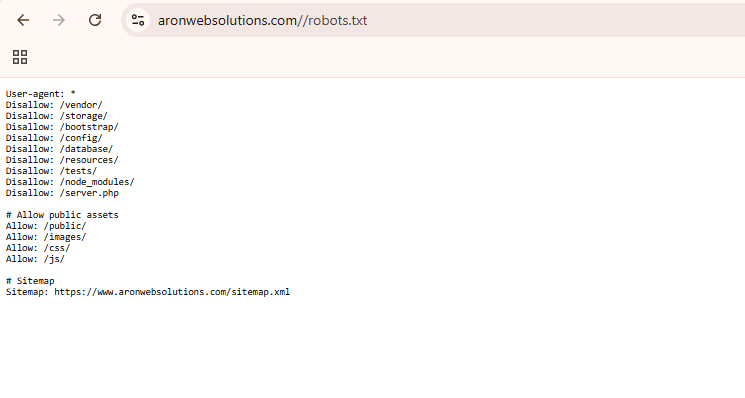
The robots.txt file defines which parts of your website search engine bots can crawl and which sections should remain restricted. For ecommerce stores, the defaults from Shopify, WooCommerce, and Magento are a starting point, not a finished setup.
Navigate to yourdomain.com/robots.txt. Look for:
- Pages that should be blocked but aren't: Internal search result pages (/search?q=), cart and checkout pages, account login pages, and admin areas should all be blocked. If they're not, crawlers waste budget on pages that should never rank.
- Pages that are blocked but shouldn't be: This is the more dangerous error. If a CSS or JavaScript file is accidentally blocked, Google can't render your pages properly. If a category page is blocked, it can't rank. Check carefully.
-
Audit Google Search Console's Coverage report
Open GSC and navigate to Indexing → Pages. You're looking for pages in three problematic states:
Crawled — currently not indexed: Google crawled the page but chose not to index it. This is often thin content, duplicate pages, or pages Google has assessed as low-value. Review each URL and either improve the content or consolidate with a canonical.
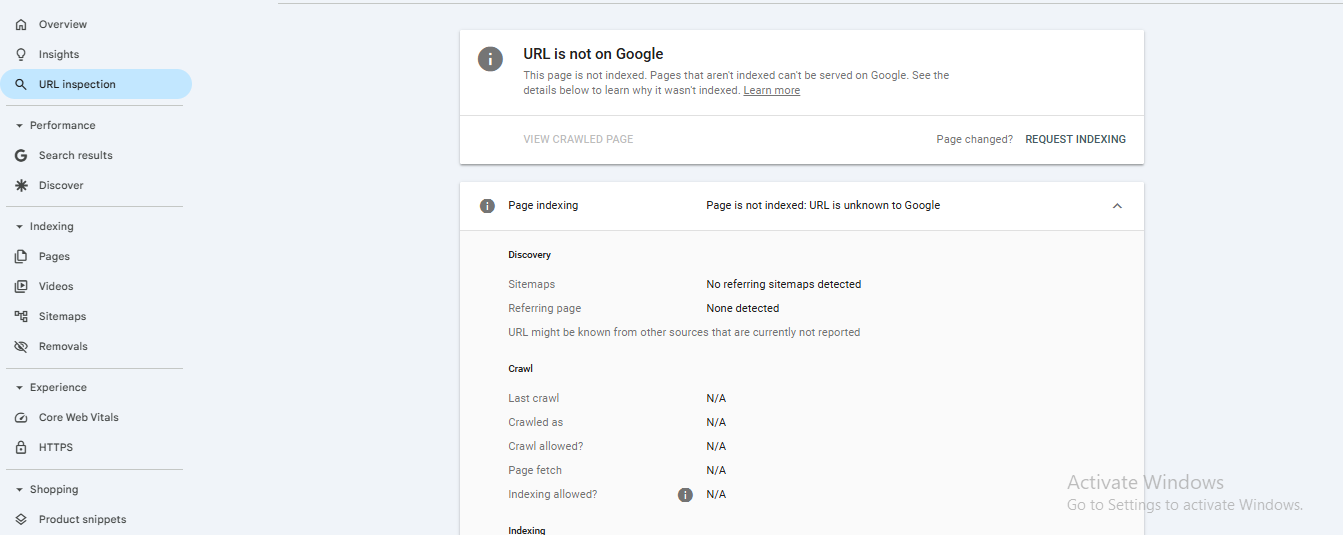
Discovered — currently not indexed: Google knows the page exists but hasn't crawled it yet. This usually indicates a crawl budget problem — you have too many low-value URLs competing for crawl attention, so Google is deprioritising your important pages.
Excluded by 'noindex' tag: Verify that every URL in this list should actually have a noindex tag. It's surprisingly common for someone to add a noindex tag to a category page during development and never remove it.
Verify your XML sitemap
Your sitemap is the map you hand to Google showing which pages matter. A poorly configured sitemap actively misleads search engines.
Check yourdomain.com/sitemap.xml. Your sitemap should:
- Include every indexable product, category, and landing page
- Not include paginated pages (page 2, page 3 of a category), filtered URLs, cart/checkout pages, or any URL with a noindex tag
- Reflect your canonical URLs; if your product URLs use HTTPS and no trailing slash, the sitemap should match exactly
Submit your sitemap in Google Search Console under Indexing → Sitemaps if you haven't already. GSC will show you how many pages were submitted versus how many were actually indexed; a significant gap here is an early warning sign.
Step 3: Website Speed Optimization
Website speed is one of the most important factors to pay attention to. A slow-loading website can frustrate visitors and increase your bounce rate. It can also affect your visibility on Google, as faster websites are more likely to perform better in search results.
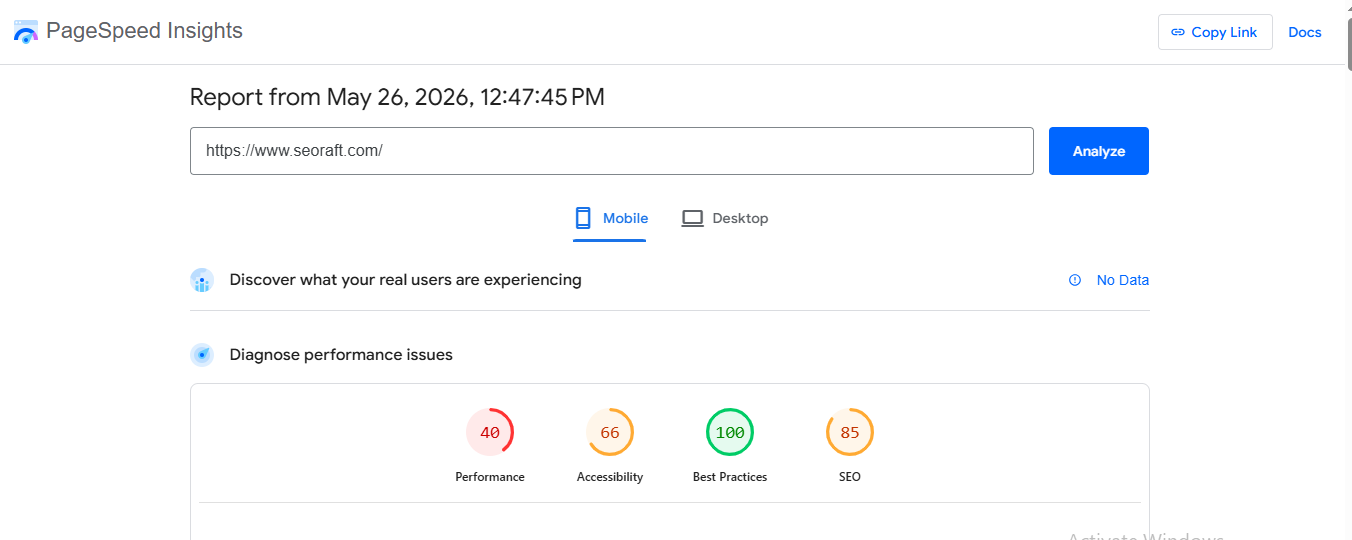
We recommend using Google PageSpeed Insights to analyze your website and identify areas for improvement. The tool provides:
- A performance score (0–100)
- Core Web Vitals insights
- Speed and loading diagnostics
- SEO and accessibility evaluations
- Actionable recommendations to improve website performance
Here’s an example of what the tool looks like in use:
Step 4: Broken Links and Redirection Issues
Broken links are links that do not work and redirect users to a 404 error page. These links frustrate users and signal to search engines that the website is not being properly maintained.
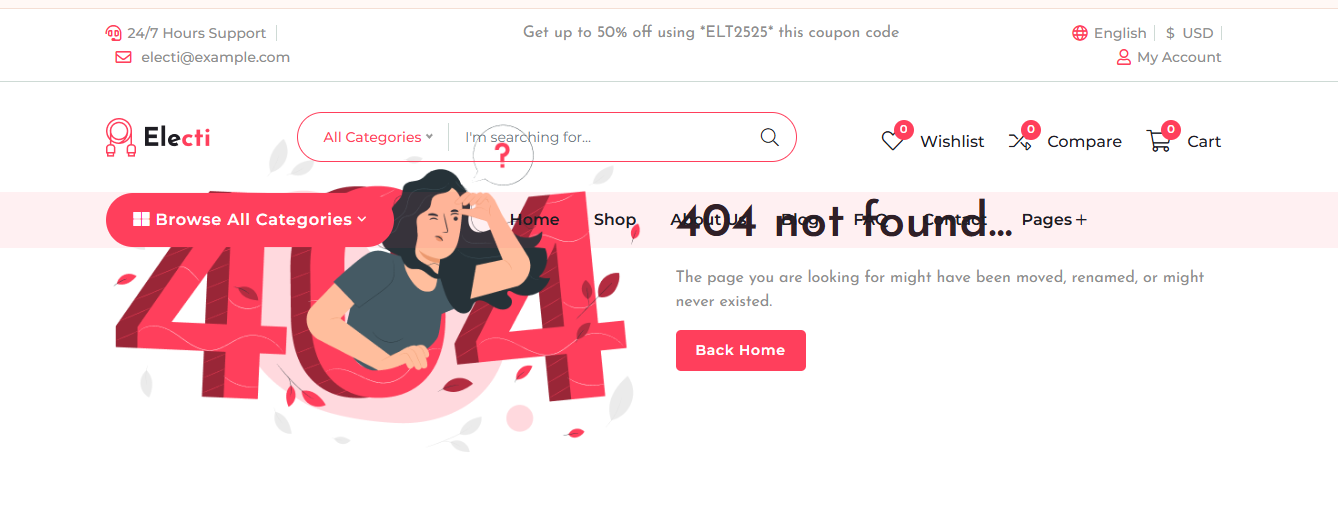
Broken links usually happen when:
- A page is deleted
- A URL is changed without updating links
- A website structure is reorganized
- External websites remove or move their pages
- There are typing mistakes in URLs
To find broken links, you can use tools such as Google Search Console, Screaming Frog SEO Spider, Ahrefs, and Semrush. For example:
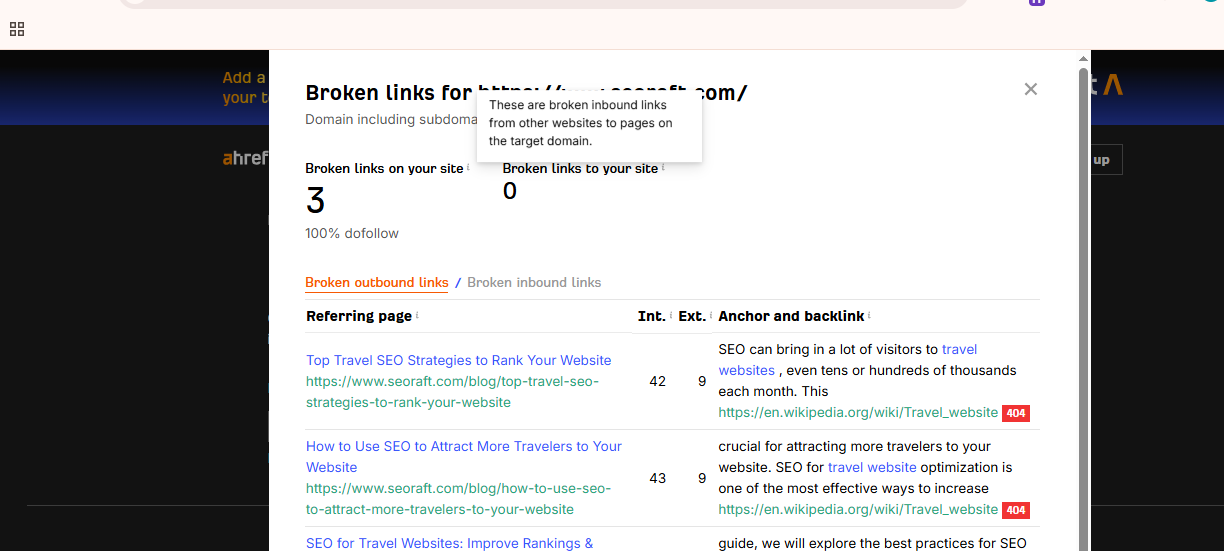
A Screenshot from Ahrefs
How can you fix broken links?
Once you have identified the broken links, follow these steps to fix the issue:
- Update the Incorrect URL: Replace outdated or incorrect links with the correct working URLs.
- Set Up 301 Redirects: If a page has moved permanently, create a 301 redirect to send users and search engines to the new page.
- Remove Unnecessary Links: If the content no longer exists and there is no relevant replacement, remove the broken link completely.
- Test and Monitor Regularly: Check your website regularly to ensure all links and redirects are working properly and avoid redirect loops or new 404 errors.
Step 5: Structured Data and Image Optimization
Structured data is information formatted in a standardized way that helps search engines and other systems accurately interpret and process website content.
To add structured data to your website, use Google Structured Data Markup Helper to help search engines better understand your content. Structured data (as shown in the image below) can enhance your search appearance with rich results, making listings more engaging.
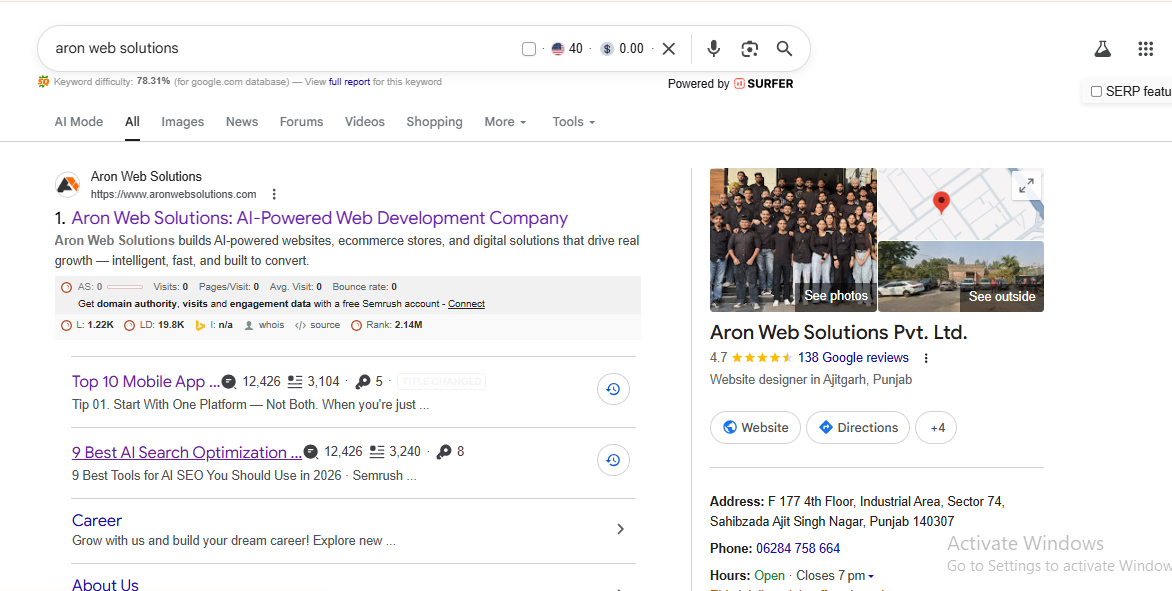
Image optimization involves reducing image file sizes and improving image settings to help pages load faster without affecting quality. Large or unoptimized images can slow down your website and negatively impact both SEO and user experience.
To optimize images, you can use free tools like TinyPNG, Squoosh, or ILoveIMG to compress images without noticeable quality loss.
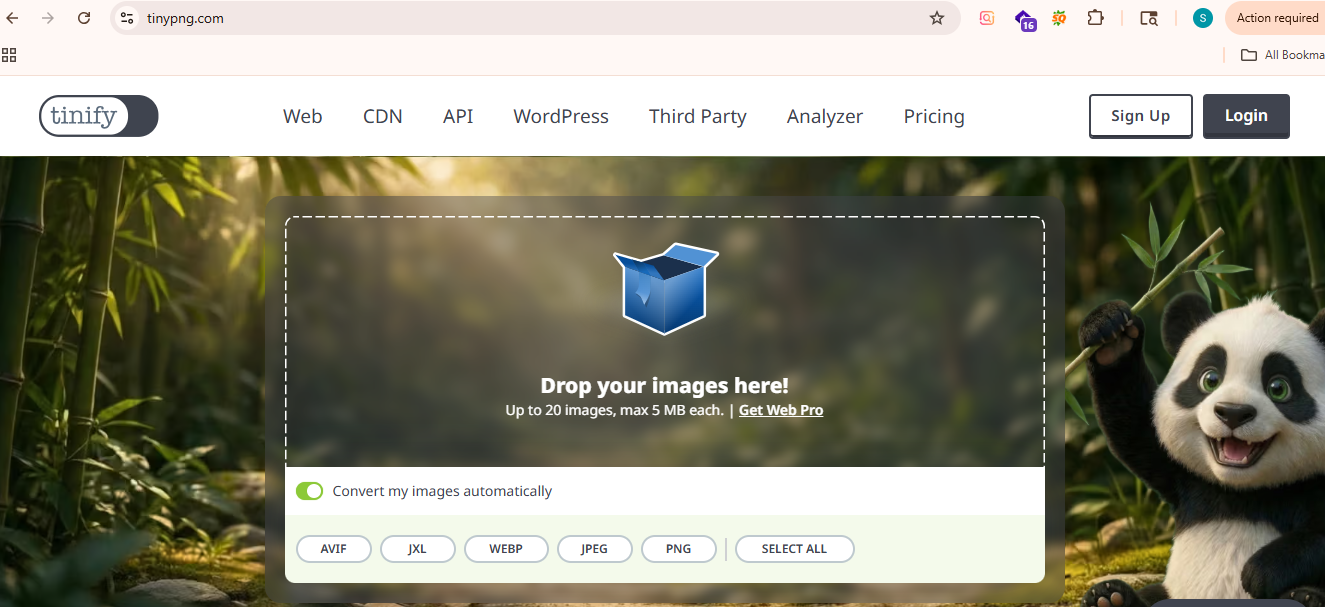
It is also recommended to use modern image formats such as WebP, add descriptive alt text, resize images appropriately, and enable lazy loading to improve page speed and overall website performance.
Step 6: Keyword and Content Optimization
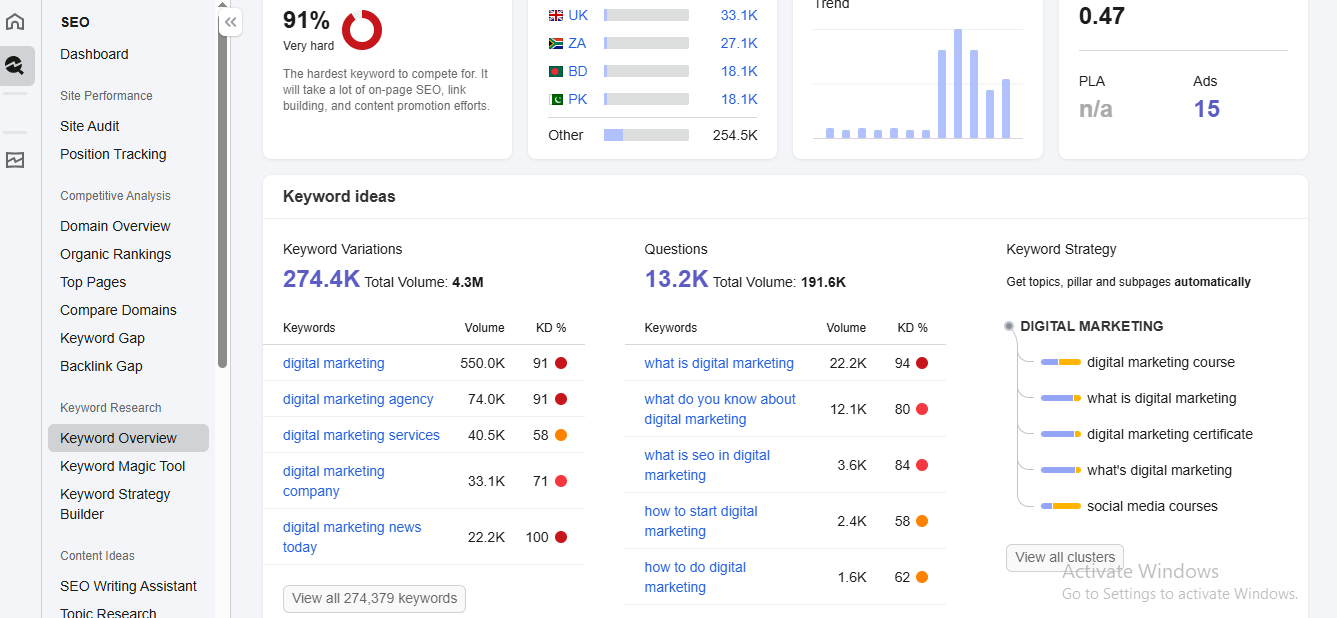
Keyword and content optimization ensure your product and category pages speak the same language as your potential customers. Start by identifying the terms your target audience actually searches for using tools like Keyword planner, Ahrefs, or Semrush (Look at the image below).
Related article: Google Keyword Planner vs Ahrefs: Comparing Free and Paid Keyword Research Tools
Focus on category pages first, as they typically drive the most organic traffic. Ensure each page targets a primary keyword while naturally incorporating related terms throughout headings, descriptions, and meta tags.
For product pages, write unique descriptions rather than copying manufacturer content, which creates duplicate content issues. Include keywords in your product titles, meta descriptions, and image alt text.
Avoid keyword cannibalization, where multiple pages compete for the same search term. Use GSC's performance report to identify overlapping pages and consolidate them where necessary.
Finally, regularly refresh outdated content to maintain relevance and signal to Google that your store is actively maintained.
Step 7: Meta Tags Optimization
Meta tags are snippets of HTML code that tell search engines and users what your page is about. Optimizing them is essential for improving click-through rates and search visibility.
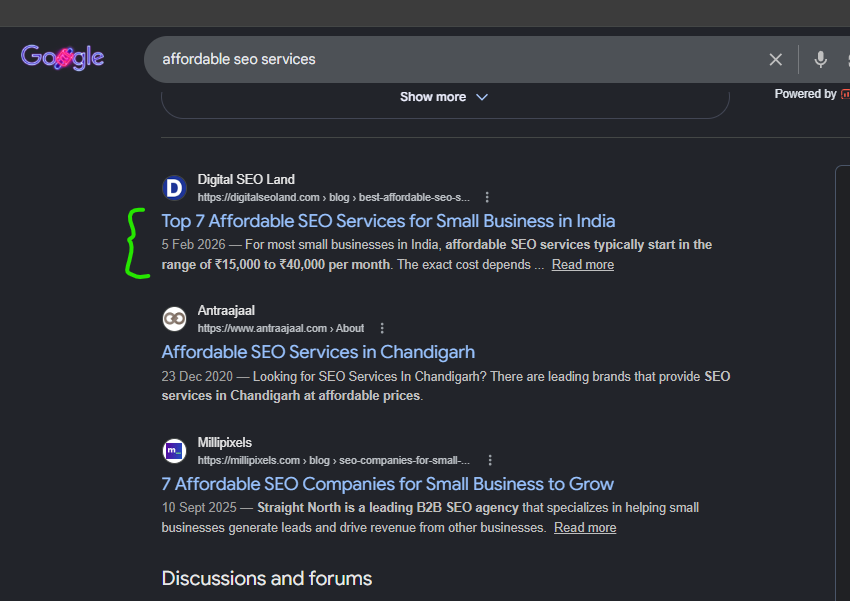
Start with your title tags. Each page should have a unique title that includes the primary keyword and stays within 50–60 characters. Avoid duplicating titles across product or category pages.
Next, review your meta descriptions. While not a direct ranking factor, a compelling meta description influences whether users click your listing. Keep them between 150–160 characters and include a clear value proposition or call to action.
Check for missing, duplicate, or truncated meta tags using Screaming Frog or Google Search Console. These are surprisingly common on large ecommerce stores where pages are auto-generated.
Finally, ensure your H1 tags are present on every page, unique, and aligned with the page's target keyword. Only one H1 should exist per page.
Step 8: Link Building & Authority Analysis
Backlinks remain one of Google's strongest ranking signals. This step is about understanding the quality of your current link profile and identifying opportunities to build more authority.
Start by using Ahrefs or Semrush to review your backlink profile. Look at the number of referring domains, their authority scores, and the relevance of linking sites to your niche. A handful of high-quality, relevant backlinks outweighs hundreds of low-quality ones.
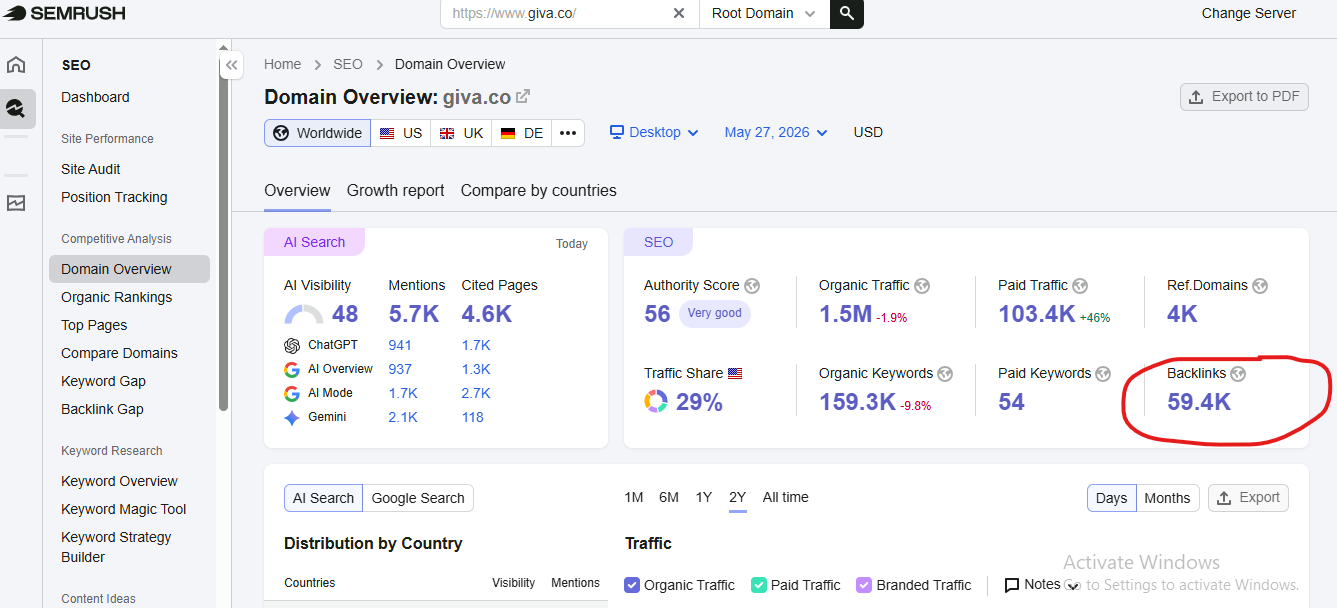
Next, identify and disavow toxic or spammy links that could trigger a Google penalty. GSC's manual actions report will flag any existing penalties.
Then, benchmark your profile against top competitors to find link gap opportunities — sites linking to them but not to you are your best prospecting targets.
For link building, prioritize guest posting, digital PR, supplier or partner mentions, and earning links through genuinely useful content like buying guides or comparison pages.
Step 9: Competitor gap analysis
Competitor gap analysis helps you identify what your rivals are ranking for that you are not, giving you a clear roadmap for content and keyword opportunities you may be missing.
Start by identifying your top 3–5 organic competitors using Ahrefs or Semrush. These are not always your direct business competitors; they are the stores consistently appearing above you in search results for your target keywords. Below is a Reddit user highlighting some of the popular tools used for competitor analysis:

Source Reddit
Use the Keyword Gap tool to compare your keyword rankings against theirs. Focus on keywords where competitors rank in the top 10, but you have no ranking at all — these represent your highest-priority opportunities.
Next, analyze their top-performing pages by organic traffic. If a competitor drives significant traffic from a category or buying guide you don't have, that is a content gap worth closing.
Finally, review their backlink profile for linking domains you could also target, combining this insight with your link-building strategy from Step 8.
Step 10: Mobile Experience Audit
Google uses mobile-first indexing, meaning it primarily crawls and evaluates the mobile version of your site — not desktop.
Start by opening your store on multiple devices and screen sizes. Check that navigation menus, buttons, and filters are easy to tap without accidental clicks. Ensure images load correctly, text is readable without zooming, and no content is cut off or overlapping.
Use Google PageSpeed Insights to get a dedicated mobile performance score and identify the specific issues slowing down the mobile experience. If you still feel stuck, feel free to seek help from an ecommerce SEO expert.
Any friction in the mobile journey costs you both rankings and sales.
How Often Should You Run an Ecommerce SEO Audit?
A full audit like this should be run once per quarter. Between quarterly audits, set up the following ongoing monitoring:
- Weekly: Check GSC for new indexing errors (takes 5 minutes — just check the Coverage report for new issues).
- Monthly: Review Core Web Vitals in GSC for new Poor-rated URLs.
- After any major site change (platform migration, new theme, catalogue expansion, URL structure changes): Run sections 1–4 of this checklist immediately. Platform migrations in particular can introduce catastrophic indexation issues that go unnoticed for months.
Conclusion
Running an ecommerce SEO audit tells you what's wrong. That knowledge is only valuable if you act on it.
If you'd rather have a professional pair of eyes run this audit for your store — or if you've found issues that need development expertise to fix — the team at Aron Web Solutions has audited and optimised ecommerce stores across Shopify, WooCommerce, and custom builds for over a decade.
If you need our help, feel free to reach out.
Disclaimer: This is not a sponsored or promotional blog post. All recommendations and insights are drawn from our team’s direct experience.
Frequently Asked Questions (FAQs)
A DIY audit using this guide takes 4–8 hours for a store under 500 products, assuming you already have Google Search Console and GA4 set up. Larger catalogues or stores with complex technical issues will take longer. Working with an ecommerce SEO consultant can significantly speed up this process.
Crawl budget waste from unmanaged faceted navigation and duplicate product content are the two issues we see most frequently across ecommerce stores of all sizes. Both are fixable without a full site rebuild, and we can help you with that.
Log in to Google Search Console and check: the Coverage report for indexing errors, the Core Web Vitals report for performance issues, and the Performance report for pages with high impressions but low CTR. Those three reports alone will surface 80% of the most important issues for a Shopify store.
Yes — but how many you need depends entirely on your niche and your competitors. In lower-competition categories, excellent on-page and technical SEO is often enough to rank well. In competitive categories (electronics, fashion, supplements), off-page authority is the deciding factor between a page-one result and page three.
A regular SEO audit covers universal technical and on-page factors. An ecommerce SEO audit adds layers specific to online stores: faceted navigation management, product schema implementation, product variant canonicalisation, category page optimisation, crawl budget protection, and revenue-weighted prioritisation.